The whole page, in one click.
Capture a full page, the visible area or a selected area. Annotate, blur and crop, then save as PNG, JPG or PDF. Nothing is uploaded.
 GetFullPage
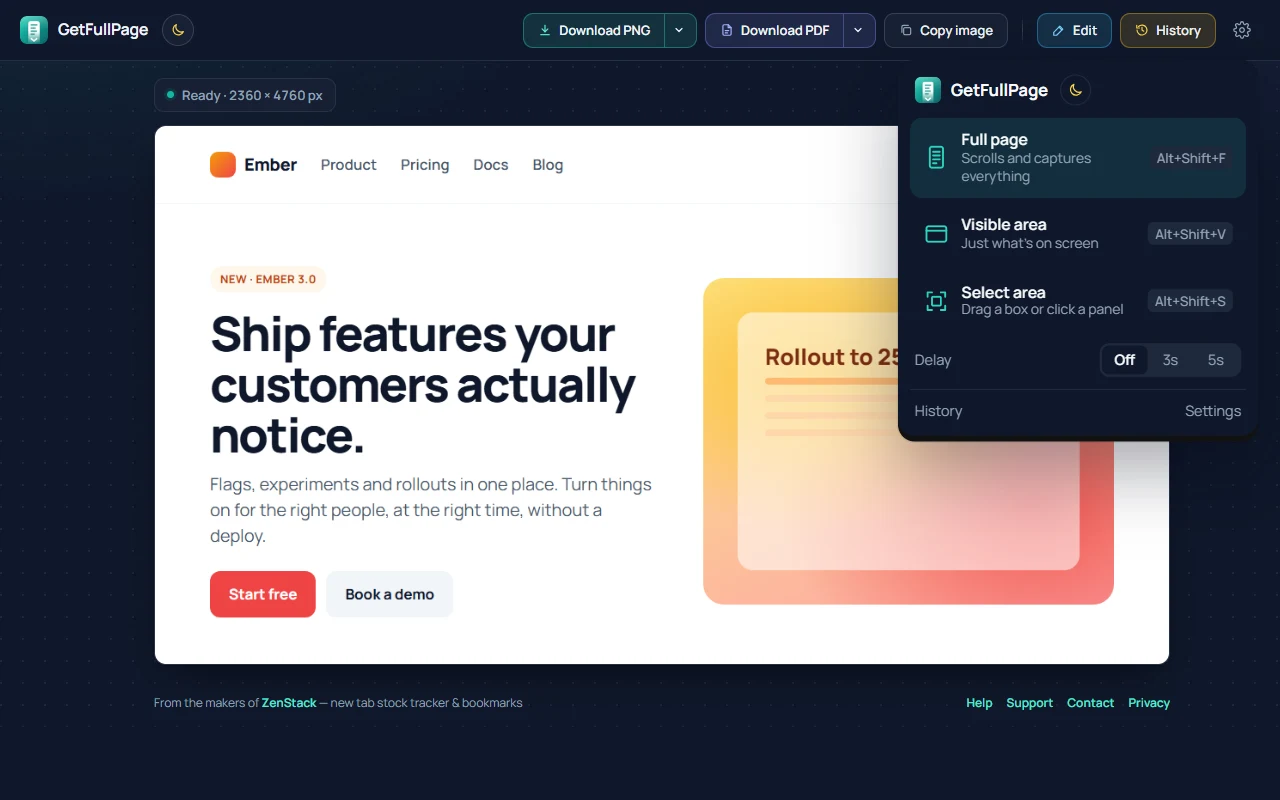
The real GetFullPage 1.1 interface, shown on a sample page.
Three ways to capture
Pick a mode from the toolbar menu, or skip the menu with a shortcut.
Full page
Scrolls and captures the whole page, top to bottom, even very long ones.
Alt+Shift+FVisible area
Just what’s on your screen right now.
Alt+Shift+VSelect area
Drag a box, or click a panel to capture all of its scrolling content.
Alt+Shift+SYou can also right-click any page and choose GetFullPage.
Works on the pages other tools get wrong.
GetFullPage prepares the page before it takes the first shot, so the screenshot looks like the page you were reading.
- Loads lazy images and scroll-in animations first, so nothing comes out blank
- Sticky headers show once instead of repeating down the image
- Cookie banners and chat widgets are hidden from the screenshot
- Web apps with inner scrolling panels: mail, chat, dashboards, docs
- Very long pages are saved at full resolution, with no blurry downscaling
Edit before you share.
Mark up the screenshot in the same tab it opened in. There is nothing else to install.
- Arrows, boxes, pen, highlighter and text
- Numbered steps for walkthroughs and bug reports
- Crop, and blur anything private
Editing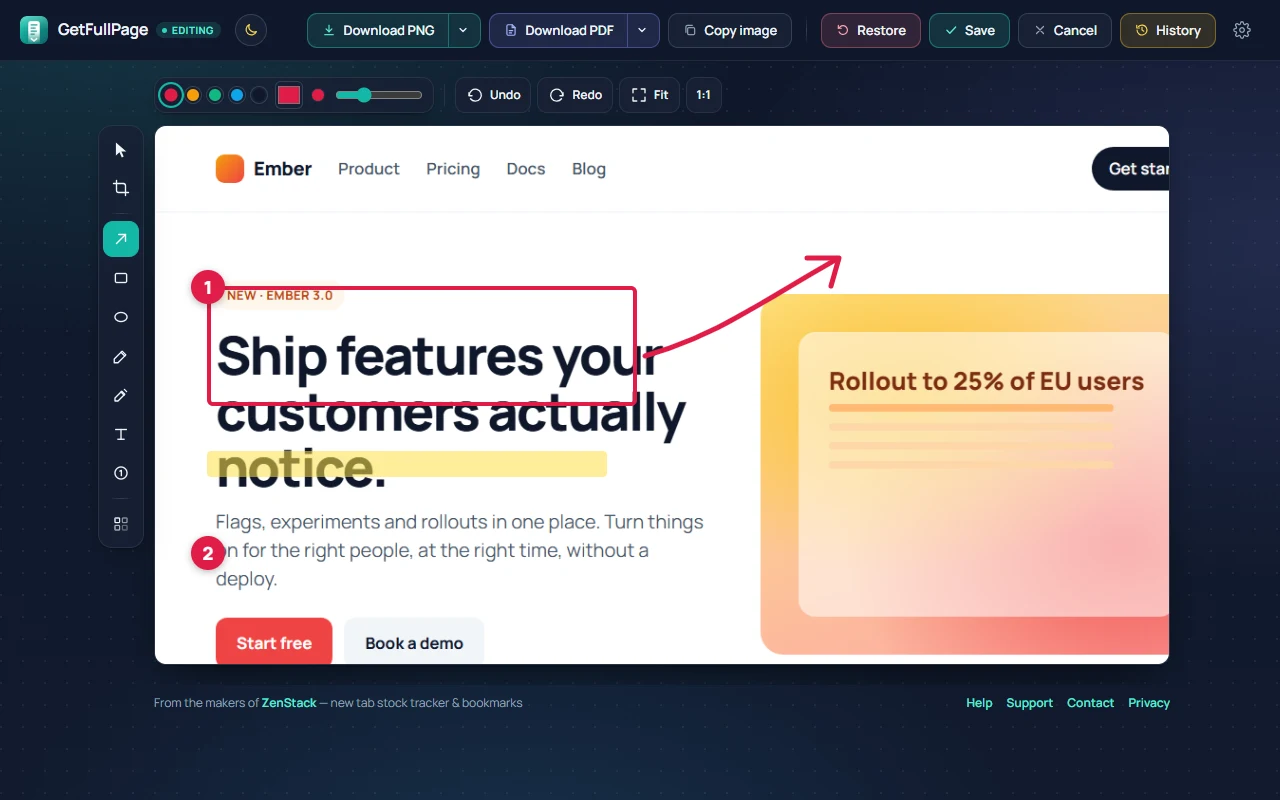
PNG, JPG or PDF.
Download at full resolution, copy straight to the clipboard, or build a PDF.
- Full-resolution PNG, or a smaller JPG
- PDF as one tall page, or split into A4 pages with breaks that avoid cutting text
- Custom file names with the site, title, date and time
Download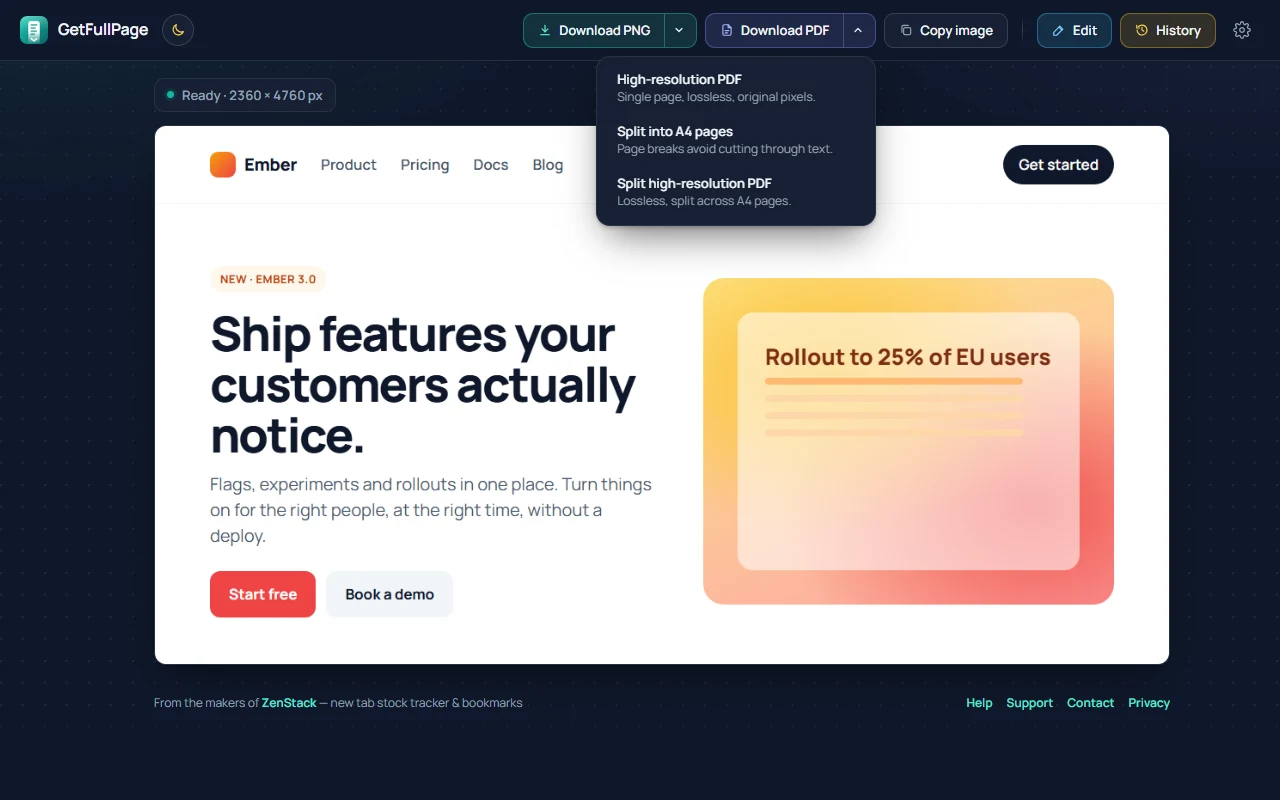
Light or dark. Always private.
Screenshots are made and stored on your computer. GetFullPage has no servers, no analytics and needs no account.
- Your last captures stay in a local history you can clear any time
- Switch between light and dark with one click
- Available in 13 languages
History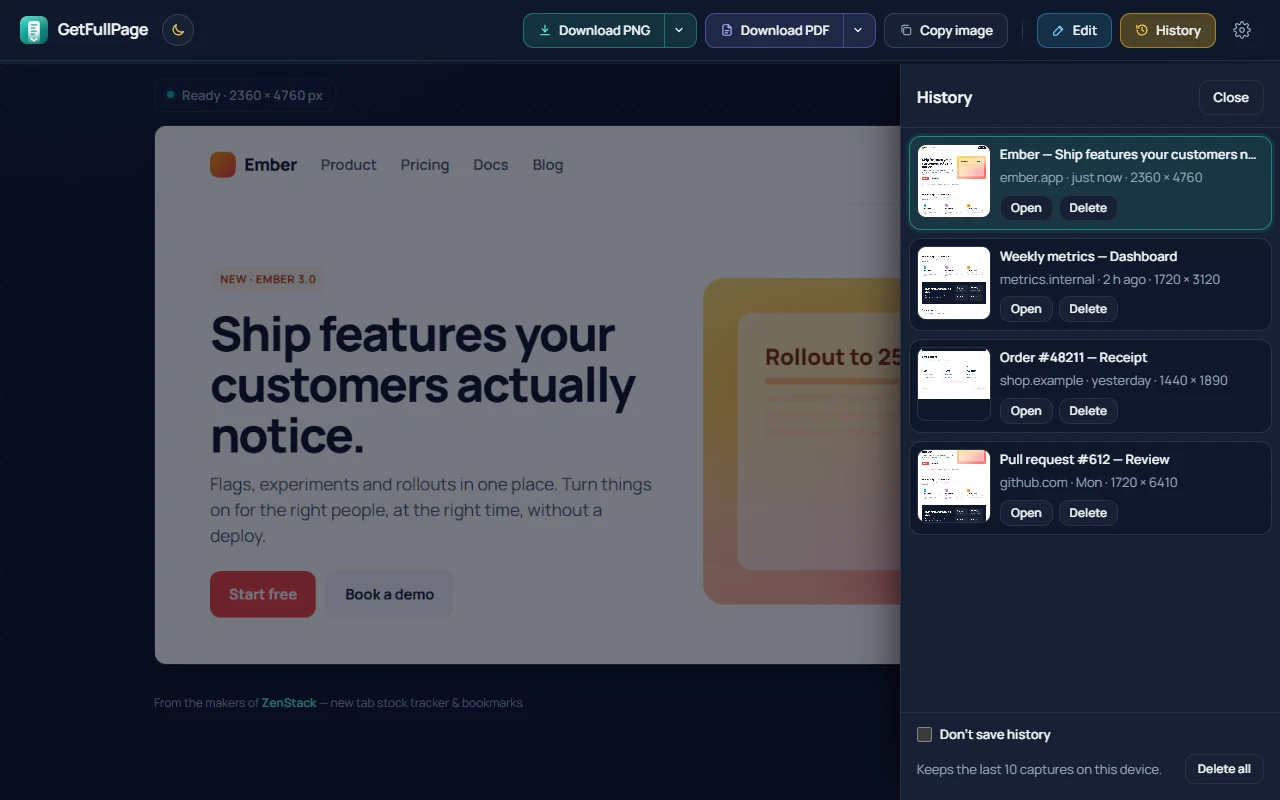
How to use GetFullPage
Capture a page
- Open a normal website (http or https).
- Click the GetFullPage icon in the toolbar and choose Full page, Visible area or Select area. The shortcuts and the right-click menu do the same thing.
- A full-page capture shows its progress in the menu. Press Stop & save to keep what has been captured so far.
- A result tab opens with the screenshot, ready to download or copy.
Chrome pages such as chrome://, the Web Store and similar restricted URLs cannot be captured.
Edit & download
On the result tab, click Edit to annotate the screenshot.
- Arrow, box, ellipse, pen, highlighter to mark up the page.
- Text and numbered steps to explain it.
- Blur to hide private details before you share.
- Crop to keep only the part you need.
Save keeps your edits. Restore brings back the original capture.
Use Download PNG or Download PDF; the arrow next to each button has more formats, including JPG and A4 pages. Copy image puts the screenshot on the clipboard.
History
GetFullPage keeps your last 10 captures on this computer. Nothing is uploaded.
- Open History to reopen or delete a capture.
- Delete all clears the saved captures.
- Check Don’t save history to stop adding new captures. The result tab still shows the shot you just took.
Settings
Open Settings from the toolbar menu to change how GetFullPage behaves.
- Toolbar button: show the capture menu, or capture the full page in one click.
- Delay before capturing: 3 or 5 seconds, useful for menus and hover states.
- After capturing: just show the screenshot, also download it, or also copy it.
- Image quality, format and file name for downloads.
If a capture looks wrong
Blank sections. Keep Load the whole page first and Freeze animations turned on in Settings. They fix pages that fade content in while you scroll.
Sticky headers or sidebars repeating. GetFullPage shows sticky headers once and hides them after the first screen. Some sites still paint unusual overlays, so include the URL if you write in.
Endless feeds. A feed that keeps loading stops after about 60 screens. Press Stop & save earlier if you only need the top.
Extremely long pages. Chrome limits how large an image can be. Only pages beyond that limit are scaled down, and the result tab tells you when it happens.
Still stuck? Contact support and tell us which page you were capturing.
Full page screenshots, done right.
Free, private, and no account. Need help? It’s the same ZenStack inbox.