Live prices, portfolio P&L and the links you actually use, on the tab you already open every day.
01 · Markets
Live watchlists and a market bar on every tab.
Prices, daily change and sparklines for the tickers you follow. The market bar keeps the S&P 500, Nasdaq 100, Dow and your portfolio’s day at the top of the page.
20 one-click presets, from Magnificent 7 to India and Europe
International symbols, priced in their own currency
Pre-market, after-hours and overnight prices PRO
Sample data
S&P 500
7,651.54
-0.25%
Nasdaq 100
30,408.50
+0.23%
Dow
50,906.05
-0.86%
Portfolio today
+$479.12
+0.33%
Magnificent 7
Live
AAPLApple Inc.$333.02+1.10%
MSFTMicrosoft Corp.$512.90+0.77%
GOOGLAlphabet Inc.$344.08+0.93%
AMZNAmazon.com, Inc.$249.15+1.01%
NVDANVIDIA Corp.$228.38+0.51%
METAMeta Platforms$725.18-1.84%
TSLATesla, Inc.$354.81+0.56%
PresetsMagnificent 7AI & ChipsETFsDividendCryptoCommoditiesCanadaIndia+12 more
02 · Portfolio
See value and P&L at a glance.
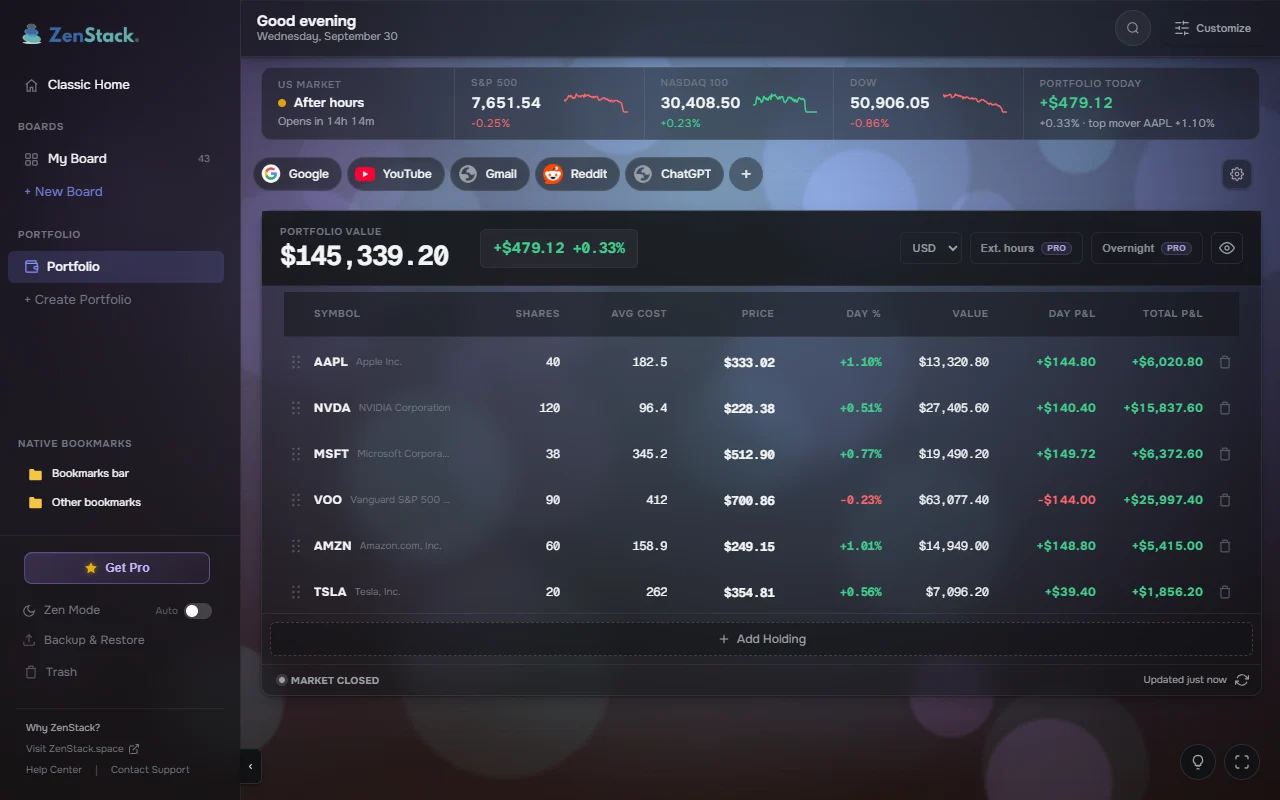
Track holdings on your new tab. Live total value and today’s profit, without opening a broker.
Day and all-time P&L for every holding
Totals converted to USD, CAD, INR, EUR or GBP
Hide values with one click when someone is looking
Portfolio
03 · Bookmark boards
Organize links like a board.
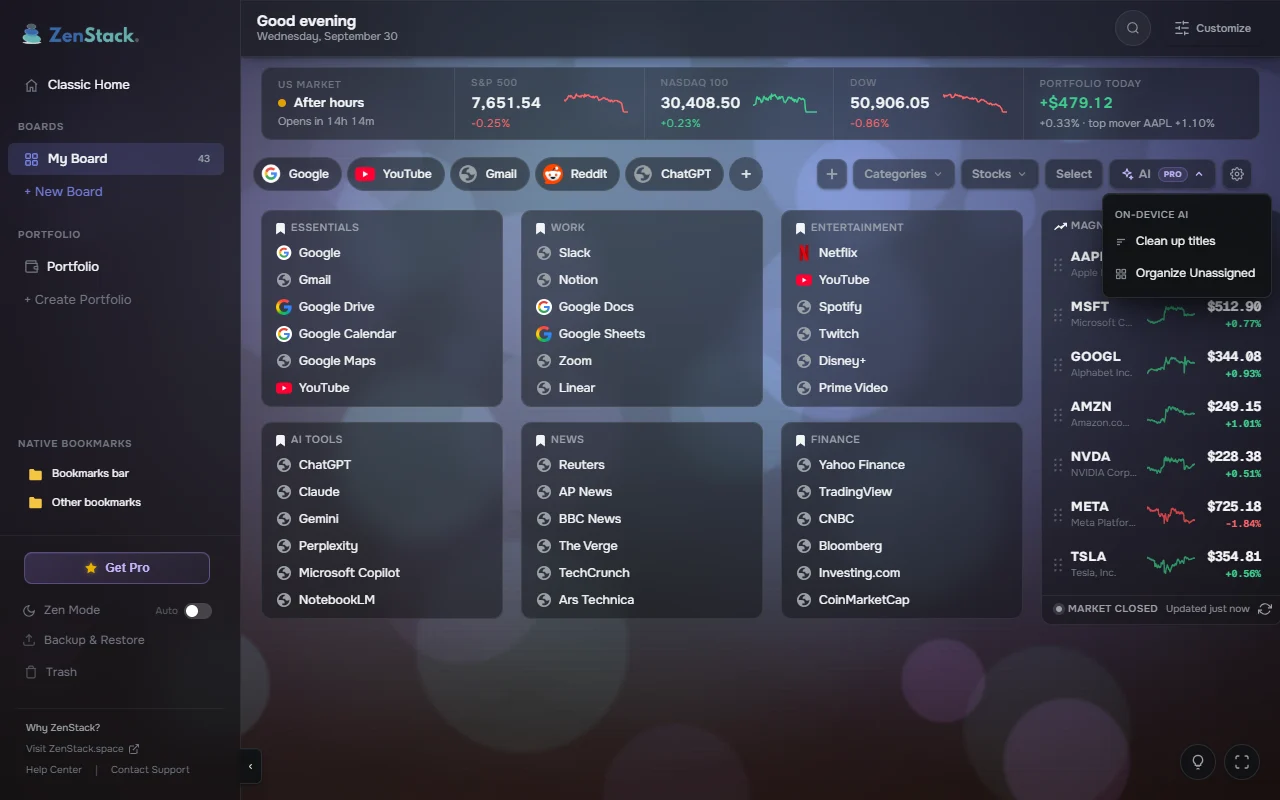
Kanban-style boards for Work, Research and To read. Drag, drop, done. Everything is saved straight into Chrome bookmarks.
Native Chrome bookmarks with two-way sync, no lock-in
14 curated category packs to start in one click
Search every board with Ctrl K
On-device AI files loose links and cleans up titles PRO
My Board
04 · Look & feel
Make new tab feel like yours.
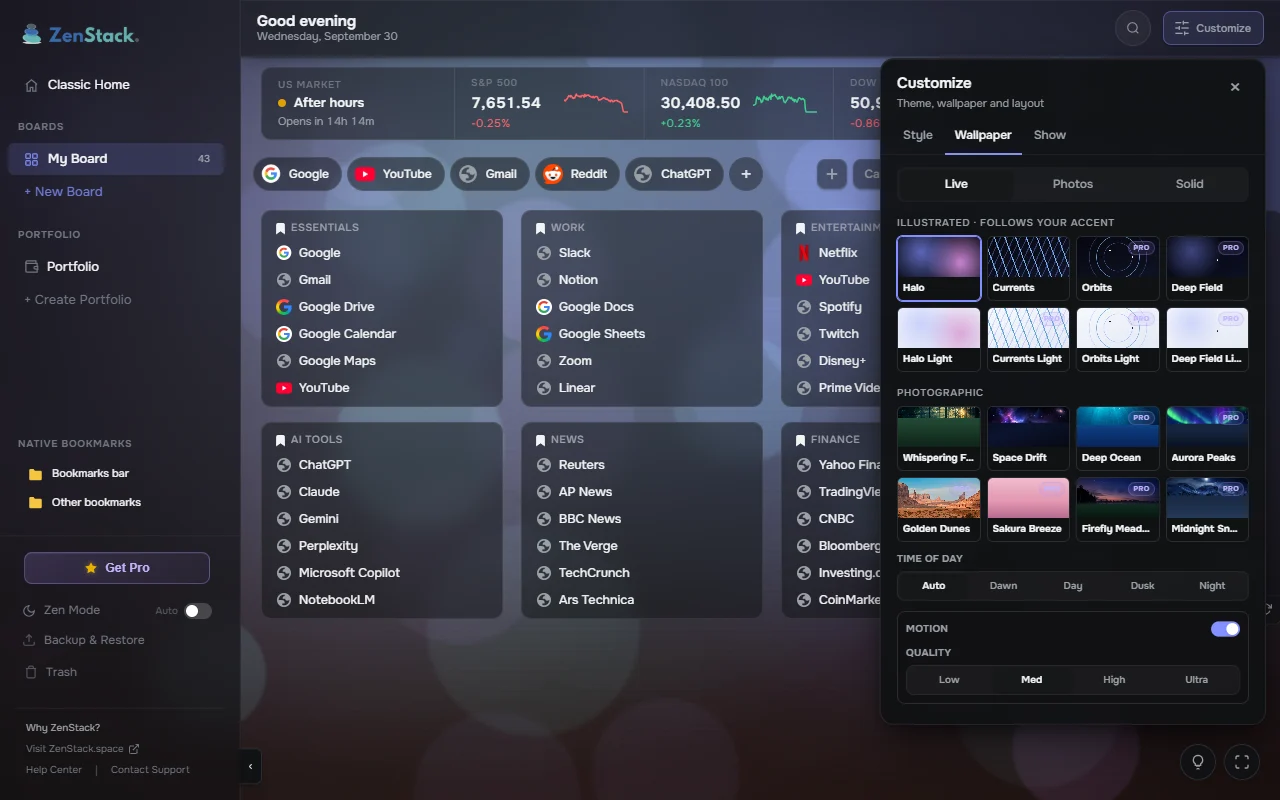
16 live wallpapers: eight illustrated scenes drawn on your device, and eight photo scenes from Whispering Forest to Aurora Peaks.
Light wallpapers switch the whole page to a light theme
Photo backgrounds or a solid colour if you prefer it quiet
Collapsible sidebar, greeting and quick links
Customize
And the small things that make a new tab pleasant
Classic Home
A clean start page with a clock, web search and shortcuts. Always free, and it never counts toward your board limit.
Zen Mode
A calm full-screen view with photography and a clock, for a quiet reset between tabs.
Opens instantly
Your last board and wallpaper are on screen from the first frame. Quotes stop polling when the tab is hidden.
Save from any page
Add the page you’re on from the toolbar button or the right-click menu, without leaving it.
Undo anything
Drag a board onto another to combine them, drop one in Trash, and take any of it back with one click.
Backup & restore
Export your boards to a file and bring them back whenever you need to.
Privacy
Private by design.
Your boards live in your browser. We don’t store them, sell them, or show you ads.
Bookmarks stay in Chrome
Boards are native bookmark folders. Nothing is stored on our servers.
No ads. No data selling.
Quotes come from Yahoo Finance, and only for the tickers you choose to watch.
Chrome sync built in
Every device, every new tab. There is no extra account to create.
Reviews
Loved on the Chrome Web Store
Real reviews from people who use ZenStack every day.
“A very promising extension. I have a large number of bookmarks, and this extension makes them much more visual and easier to navigate. I used Speed Dial 2 before and this is the best alternative I've found so far.”
IIlyaJun 23, 2026 · Chrome Web Store
“The best new tab and bookmark manager available!”
SShamanthDec 19, 2025 · Chrome Web Store
“Really impressed with this app. Simple UI, smooth performance, and it actually helps manage tabs without clutter. Works exactly as promised. Great job by the developer!”
Gguru nagDec 29, 2025 · Chrome Web Store
“Clean UI and bookmark manager. Could use a chrome storage sync feature.”
YYazeed Al OyounJan 19, 2026 · Chrome Web Store
“I've been looking for an extension like this to manage my bookmarks and quickly access my frequently visited websites.”
The free plan covers the full workflow. Pro removes the limits with one payment, not a subscription.
Free
$0
Free forever. No credit card.
3 boards and 100 saved links
1 stock watchlist with 10 tickers
1 portfolio with 10 holdings
Market bar, Classic Home and Zen Mode
5 live wallpapers
FOUNDERS · LIFETIME
Pro
$5once
One-time Founders price for early users. Yours for life. Regional pricing applies.
Unlimited boards, categories and links
Unlimited watchlists and tickers
Unlimited portfolios and holdings
Pre-market, after-hours and overnight prices
All 16 live wallpapers
On-device AI to organize links and clean up titles
Try Pro free for 7 days inside the extension, no card required. Payments are handled by Stripe.
FAQ
Questions, answered.
Something else? The Help Center covers setup, and support goes to a real inbox.
Is ZenStack free to use?
Yes. Free includes 3 boards and 100 links, one stock watchlist, one portfolio, Classic Home and 5 wallpapers. That is the full workflow, with no credit card.
Does it replace my default new tab?
Yes. Every new tab opens ZenStack with your markets, boards or Classic Home instead of the default browser page.
Can ZenStack track stocks and my portfolio?
Yes. Watchlists show live prices, daily change and sparklines. The portfolio shows live value and today's P&L, with totals converted to USD, CAD, INR, EUR or GBP. Pre-market, after-hours and overnight prices are part of Pro.
How much is ZenStack Pro and how do I upgrade?
Pro is a one-time Founders lifetime price of about $5 for early users; regional pricing applies. You can try Pro free for 7 days without a card. Upgrade inside the extension; payments are handled by Stripe.
Can I sync across devices?
ZenStack stores boards as native browser bookmarks. If you are signed in to Chrome Sync, your boards and links sync automatically.
Is my data private?
Bookmarks stay in your browser and we don't store your boards on our servers. No ads, no selling data. Stock quotes come from Yahoo Finance, only for the tickers you choose to look up. Your email is used only to verify a Pro license.
How does the on-device AI work?
It runs on Chrome’s built-in model (Gemini Nano), so your links never leave your computer and there is no API key. It files unassigned links into categories and cleans up messy titles, and nothing changes until you click Apply. It is part of Pro, needs a Chrome that supports built-in AI, and Chrome downloads the model once (about 2 GB).
Can I import my existing bookmarks?
Yes. On installation, ZenStack can import your existing bookmark bar, and you can drag and drop links manually at any time.
How do I customize the background?
Open Customize and choose the Wallpaper tab. Pick a live wallpaper, a photo background or a solid colour, then set the time of day, motion and quality.
Also from ZenStack
GetFullPage
Capture an entire webpage in one click, then annotate and download it as PNG or PDF. Nothing is uploaded.
 New Tab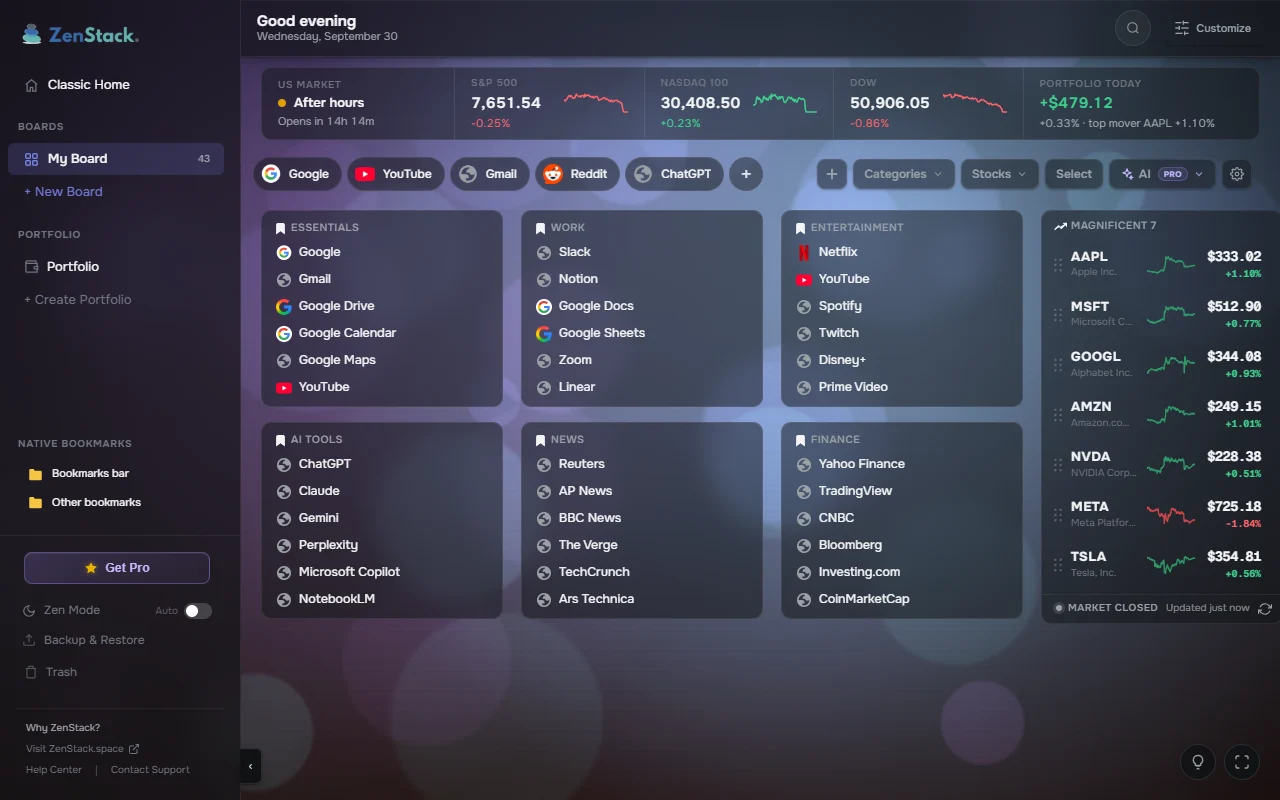
 Chrome Web Store
 Edge Add-ons